JKBMS
JK BMS WiFi Module for V19/V22 PB & PBD Energy Storage | 2.4GHz RS485 TTL
JK BMS WiFi Module for V19/V22 PB & PBD Energy Storage | 2.4GHz RS485 TTL
999 in stock
Couldn't load pickup availability
Share
JK BMS WiFi Module for V19/V22 Energy Storage (PB & PBD)
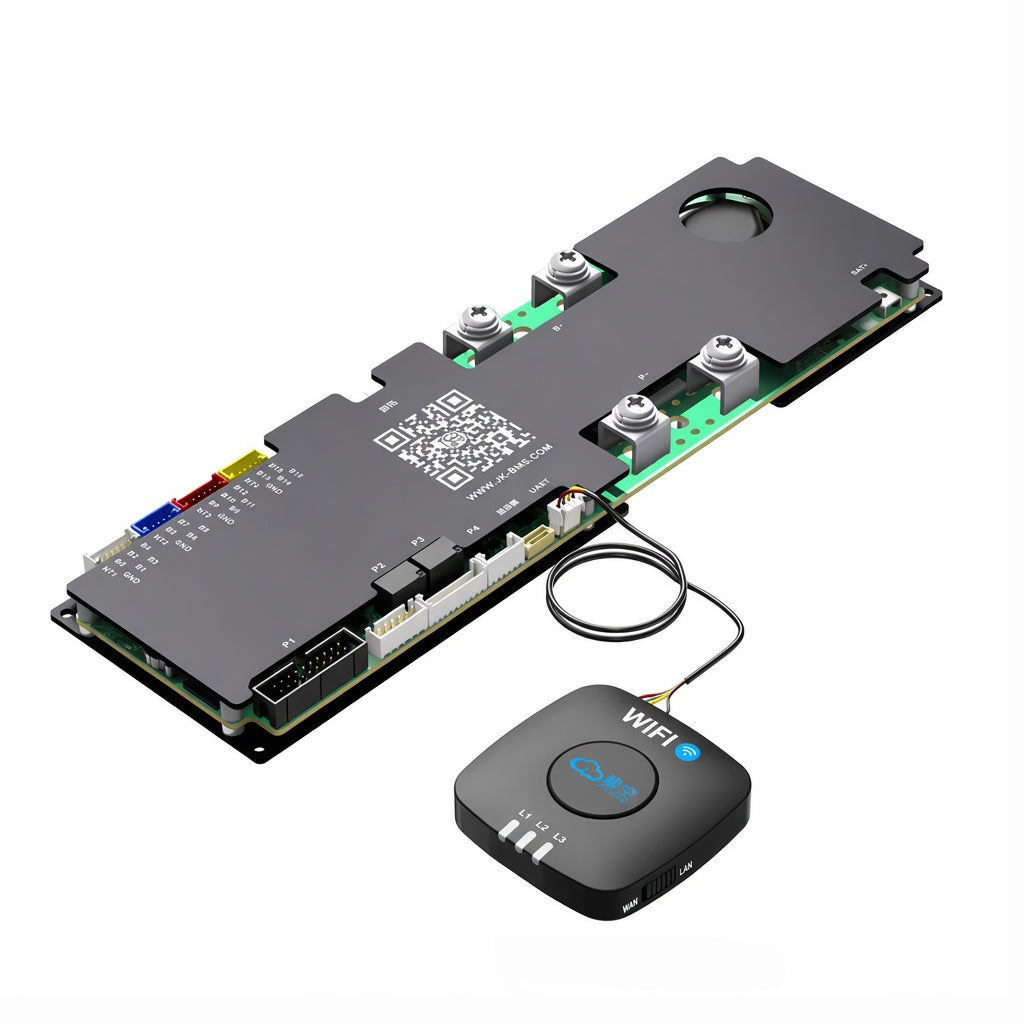
The Jikong (JK) WiFi module adds wireless monitoring to a compatible lithium battery management system (BMS). It reads BMS data through a TTL serial or RS485 port, then lets you check live data, change operating parameters, and run a remote firmware update in a web browser.
This listing is for the WiFi module only (with cables). It is not a BMS and does not replace a protection board.
Compatibility
Per the official product graphic, this module is only applicable to V19 / V22 energy storage BMS (PB or PBD models) from Jikong—for example JK-PB and JK-PBD home energy storage boards.
If your board is another series (such as a standard JK-BD, B1A, B2A, or QB unit), confirm compatibility with us before you order. We do not claim support for those series on this page.
What you can do
- View real-time BMS data in a browser
- Configure operating parameters
- Perform a remote firmware update
- Use LAN mode on the same local network as your phone or computer
- Use WAN (Internet) mode for remote access through a cloud server, including cross-network management
Switch between LAN and WAN with the side slide switch. Access is through a browser. The official V1.0 manual does not require a separate mobile app.
What’s in the box
- 1 × Jikong WiFi module
- 1 × TTL cable
- 1 × RS485 cable
Use only one communication cable at a time: RS485 and UART1-TTL cannot be used together. Default baud rate is 115200.
Specifications
- Brand: Jikong (极空), Chengdu Jikong Technology Co., Ltd.
- Compatibility: V19 / V22 energy storage BMS, PB or PBD models
- Supply voltage: 9–90 V
- Operating power: ≤450 mW at 12 V
- Wi-Fi band: 2.4 GHz
- Communication: TTL or RS485 (not at the same time)
- Default baud rate: 115200
- Connector: GH1.25-14P
- Operating temperature: −40 to 80 °C
- Dimensions: 60.5 × 60.5 × 12.6 mm
- Network modes: LAN (local) and WAN (internet / cloud)
Quick setup (LAN mode)
- Connect the correct cable (TTL or RS485) and power the module. Indicators L2 and L3 blink in the initial AP (setup) state.
- Join the module hotspot JK_BMS_WIFI. Default password: 66666666. When connected, L3 turns off and L2 keeps blinking.
- Open a browser and go to 192.168.4.1 or jkbms.local. Enter your router SSID, password, and the device access domain name, then apply. L2 stays on when the module has joined the router.
- Keep your phone or computer on the same router. Open xxx.local (the domain name you set in step 3) to view and change parameters.
A short press restarts the module. Hold longer than 3 seconds to clear the saved Wi-Fi name and password and restore factory settings.
Safety: Work with the pack powered down when you connect cables. Do not attach RS485 and UART1-TTL at the same time. If you are not familiar with BMS wiring, have a qualified installer do this.
LED indicators
- L1 — On: WAN (internet) mode. Off: LAN mode.
- L2 — Blinking: AP / hotspot mode. Steady on: connected to a router (STA).
- L3 (AP mode) — Blinking: no device connected. Off: a device has joined.
- L3 (STA mode) — Slow blink: failed to join the router. Fast blink: firmware updating. Steady on: failed to reach the server. Off: normal operation.
FAQ
Which JK BMS does this WiFi module work with? The official product graphic states it is only for V19/V22 energy storage BMS, PB or PBD models (for example JK-PB and JK-PBD). Confirm your board’s series and firmware family before ordering.
Will it work with a standard JK-BD, B1A, or inverter-style board? That is not claimed on the official product graphic or in this listing. Please ask us and send your exact BMS model before you buy.
Do I need a phone app? The official V1.0 manual describes access through a web browser for live data, parameter changes, and firmware updates. It does not require a separate app.
Can I use the TTL and RS485 cables at the same time? No. The RS485 port and the UART1-TTL port cannot be used simultaneously. Default baud rate is 115200.
What voltage does the module need? The supply range is 9–90 V. Operating power is ≤450 mW at 12 V.
Can I monitor the battery away from home? Yes, in WAN (internet) mode the module supports remote access through a cloud server and cross-network management. Use the side slide switch to select WAN.
How do I reset the Wi-Fi settings? Hold the button for more than 3 seconds to clear the saved SSID and password and return to factory defaults. A short press only restarts the module.